Hosting WooCommerce is not brochure hosting.
An online store writes to its database with every cart, order and stock change, so it asks more of its server than a brochure site. DIGITALON builds WooCommerce stores on the Sunshine Coast and offers managed hosting on Australian servers, matched to each store.
A store is busier than it looks.
A brochure website mostly sends the same pages to every visitor, so it can be cached and served quickly from almost any host. A WooCommerce store cannot work that way. The cart, checkout and account pages are different for every shopper, each order writes to the database, stock levels change through the day, and a sale or a busy weekend can bring many shoppers at once.
Hosting WooCommerce well means server resources sized for those busy moments, caching that leaves the private pages alone, backups frequent enough to protect recent orders, and someone keeping PHP and the server current. Our managed hosting runs on Australian servers, and a store can stay with its own host too. Hosting is a monthly service, separate from the one-off build price.
Speed when it is busy.
Shoppers notice a slow checkout far more than a slow blog page.
- Resources for sales and launches
- Private pages kept out of the cache
- Backups that keep recent orders
A server someone manages.
Someone has to look after the server, its software and the way back from a problem.
- SSL, firewall and monitoring
- PHP kept current and supported
- A recovery plan that has been tried
What WooCommerce hosting has to handle.
Six things to check on any host before a store moves in, and how our managed WordPress hosting answers them.
Pages that must not be cached
Page caching makes brochure pages fast, but the cart, checkout and account pages must reach the server every time, or shoppers see the wrong cart or an empty one. A store needs caching rules that leave those pages alone, and object caching for the database work behind them.
Resources for the busy hours
Memory, processing and the database are shared across every visitor at once, and a store's busiest hours are the ones that earn money. Size the plan for your sales and promotions, not a quiet Tuesday. Our Advanced plan adds Redis caching for small stores; Premium is a dedicated server.
Backups as frequent as your orders
A nightly backup can lose a day of orders if the store has to be restored. Match the schedule to how often orders arrive: our Advanced hosting backs up onsite every 12 hours, Premium every hour, both with weekly offsite copies kept away from the server.
Updates someone is responsible for
Hosting looks after the server: PHP, SSL, firewall and monitoring. WordPress, WooCommerce, theme and plugin updates are a separate job, and on a store each round needs a test order afterwards. Our maintenance packages handle them, with eCommerce site updates in the Advanced and Premium levels.
Servers close to your customers
For a store selling mainly to Australians, a server in Australia sits closer to customers and can cut network delay, though images, the theme, plugins and caching matter as much. Our hosting runs on Australian servers, with support from our team at Wurtulla on the Sunshine Coast.
Moving a live store safely
A store move belongs in a quiet trading period, with a final copy of the database taken at the switch so no order is lost. Standard, Advanced and Premium hosting include free WordPress migration, with the timing, domain settings and email agreed with you first.
The store build, priced apart from hosting.
These are one-off prices to design and build the WooCommerce store. Hosting is a monthly plan, listed on our WordPress hosting page and chosen for your catalogue and traffic.
Basic
A simple online shop with everything it takes to sell properly.
$4,990One-off build price
- 6 pages: home, about, contact, shop, cart and checkout
- Mobile optimisation
- Card and PayPal payments
- Flat-rate or free shipping
- WordFence firewall and SSL certificate
- Links to your social media
- Nightly backups
Standard
A professional store for a real catalogue, with accounts and automation.
$5,990One-off build price
- 10 website pages
- Everything in Basic, plus
- Search engine optimisation (SEO)
- Customer accounts and order history
- Product filters and categories
- PDF invoices and packing slips
- Wish list and discount coupons
- Advanced shipping rules
- Google Analytics
- 1:1 website training
Premium
For stores pushing on sales: more ways to pay, find and follow an order.
$7,990One-off build price
- 20 website pages
- Everything in Standard, plus
- AI search optimisation (GEO)
- Mega menu
- Apple Pay, Google Pay and Afterpay
- Shipping cost calculator and order tracking
- Live product search and product compare
- Blog
- Your CRM integrated
Hosting, your domain, your payment provider’s transaction fees and ongoing maintenance are separate. The page counts are website pages, not a product limit: catalogue size, product imports, migrations and custom integrations are agreed and quoted before work starts. Compare every inclusion and the optional features on eCommerce pricing, or see website design packages if you do not need a shop.
Your store, your hosting, your login.
Every DIGITALON store is a custom WordPress and WooCommerce build. WooCommerce is free and open source, takes no commission on your sales and runs on hosting you choose, with the administrator login yours from day one.
The shop and the pages that bring shoppers to it live in one WordPress site, edited the same way. You can run it yourself, or hand the updates to the team that built it.
No platform commission
Your payment provider charges its transaction fee. WooCommerce itself takes no percentage of your sales and has no monthly platform fee.
Hosting you choose
Keep your own host, or use our managed WordPress hosting, sized for the catalogue and the traffic you expect.
Care after launch
Our maintenance packages cover plugin and WooCommerce updates, backups, security checks and support.
One Australian team
The people who scope, design and build the store are the people who answer your questions, from Wurtulla on the Sunshine Coast.
From brief to first order.
A basic store usually takes two to three weeks. Extra features and integrations add time, and we tell you how much before we begin.
Scope and price
We agree the pages, catalogue, features and search work, then confirm the package, any extras and the payment stages in writing.
Design
You see the design and sign it off before the build starts, while changing a layout is still quick.
Build and test
Products, payments, shipping and tax are set up in WooCommerce, then tested with real orders on a phone and a desktop.
Launch and hand over
We go live and hand over your administrator login. Standard and Premium include one-to-one training on your own store.
Online stores we have built.
These are stores and online sales sites our team designed and built. They show completed work, not a promise of the same result for every business.
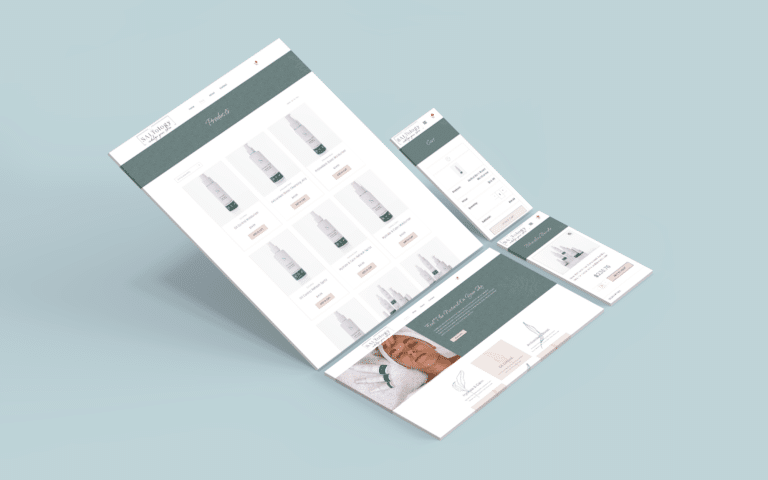 Beauty & skincareNatural Skincare Shop
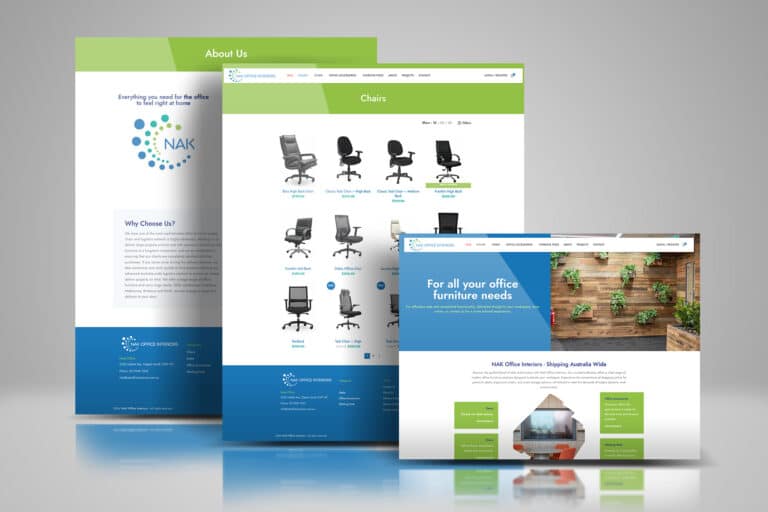 FurnitureOffice Furniture Shop
 Made to orderCustom Vinyl Lettering
 Books & consultingLegal Consulting & Author
 Retreats & coursesHoffman Process Australia
 CoursesOnline English Teaching
The client view.
I was very impressed as they were very responsive and helpful as I was a newbie. Good communication with Sabrina who took the time to explain all the process and gave some tips.
Questions about hosting WooCommerce.
Plans, caching, backups, updates, card security, moving a store, build packages, GST, search and support.
Ask us about your storeWhich of your hosting plans suits a WooCommerce store?
Advanced, for most small and growing stores: it is built for small online stores, with Redis caching, onsite backups every 12 hours and weekly offsite copies. Premium gives larger stores and marketplaces a dedicated Australian server and IP address with hourly onsite backups. Plan prices and every inclusion are on our WordPress hosting page.
Are hosting plans and store builds both priced with GST included?
Yes. The WordPress hosting plans are monthly prices in Australian dollars including GST, and the eCommerce build packages are one-off prices of $4,990, $5,990 and $7,990, also including GST. Your domain renewal and your payment provider's transaction fees are separate.
Can a WooCommerce store stay with the host it already has?
Yes. You choose the hosting, and we build and support stores on other hosts too. We check the host first: the PHP version, memory, caching rules for the cart and checkout, the backup schedule and how updates are tested. If it falls short, we explain why before suggesting a move.
Why can't the cart and checkout be cached like other pages?
Because they are different for every shopper. A cached cart could show one customer's items to another, or an empty cart after something was added. WooCommerce tells caching tools to skip the cart, checkout and account pages; the hosting set-up has to respect that while still caching product and category pages.
How often should an online store be backed up?
As often as losing orders would hurt. A store taking orders all day needs more than a nightly backup; our Advanced hosting backs up onsite every 12 hours and Premium every hour, both with weekly offsite copies. Before any restore, recent orders are checked, because rolling back the database can remove them.
Is moving our existing store onto your hosting included?
For a WordPress or WooCommerce store, yes: Standard, Advanced and Premium hosting include free WordPress migration, with the timing, domain settings and email agreed with you first. A move from Shopify, Wix or Squarespace is a rebuild on WooCommerce, which we assess and quote separately.
Do hosting plans include WordPress and WooCommerce updates?
No. Hosting covers the server: PHP, SSL, firewall, monitoring and your plan's backups. Updates to WordPress, WooCommerce, the theme and plugins come with our maintenance packages, and a store needs the Advanced or Premium level, which include eCommerce site updates. You can also run updates yourself with the administrator login.
Does the server hold our customers' card numbers?
No. With Stripe and PayPal, card numbers are entered into the payment provider's own secure fields and are not stored on your server. The store does keep orders, addresses and contact details, which is why SSL, a firewall and regular backups matter. Every package takes cards and PayPal; Premium adds Apple Pay, Google Pay and Afterpay.
Will faster hosting lift our store's Google ranking?
Not on its own, and no one can promise a position, traffic or an AI citation. A fast, reliable store simply gives search engines nothing to hold against it. Keyword and category research with on-page SEO comes with the Standard build, GEO with Premium, and ongoing work through our SEO packages.
We need a new store as well. Where do we start?
With the build package that fits the catalogue: Basic for a small range, Standard for customer accounts, filters and SEO, Premium for live search, more ways to pay and GEO. A basic store usually takes two to three weeks, hosting is set up before launch, and you own the store and its administrator login.
Find the right home for your store.
Tell us about your store: the catalogue, the traffic you expect and where it is hosted now. Our team at Wurtulla on the Sunshine Coast will recommend a hosting plan, plan any move with you and quote a new build if you need one. Nothing changes until you agree.