Web developer for eCommerce? Ask the technical questions.
A good eCommerce developer can explain how payments, GST, shipping, updates and backups will work before the build starts. DIGITALON builds WooCommerce stores on the Sunshine Coast; here are the questions worth asking any developer, with our own answers.
Good answers come before the build.
A store can look finished and still fail its first busy week: a payment that never reaches the order, GST on the wrong line, postage that undercharges remote addresses, an update that breaks the checkout. Most of those failures trace back to questions nobody asked before the build. A web developer for eCommerce should answer them plainly, and in writing, before you sign.
We build stores on WordPress and WooCommerce only, so our answers are specific to that platform. Put the questions below to any developer you are considering, including us; vague answers, or none at all, tell you as much as good ones. Choosing a designer, comparing agencies with freelancers and what the agreement should say are covered in our other guides.
How it will actually work.
Questions about the parts of a store that fail quietly.
- Payments and failed payments
- GST and shipping totals
- Updates, backups and recovery
Specific and in writing.
Clear methods, named tests and a written scope before work starts.
- Tests with real orders
- Speed checked on a phone
- A handover list at the end
Six questions for an eCommerce web developer.
Ask each one before you hire. Our own answer follows every question, so you have something to compare.
What happens when a payment fails?
Ask how declined, failed and delayed payments are handled and shown to staff. Ours: Stripe and PayPal confirm each payment back to the store, unpaid orders stay pending or failed instead of processing, and we test declined cards in the provider's test mode before launch.
How will GST and postage be checked?
Ask how the totals will be proved correct. Ours: we place test orders across product types, shipping zones and coupons, and check the GST and postage on each order, invoice and email against a worked example, including a remote postcode.
How will our product data get in?
Ask who loads the products and how. Ours: small ranges are entered or imported from your spreadsheet with WooCommerce's CSV importer after a trial run of a few rows; large catalogues and migrations are quoted separately before work starts.
How do you test on phones?
Ask which devices are tested and what is tested on them. Ours: every page and the whole checkout are tested on real phones and in desktop browsers, with real orders through each payment method before the store opens.
What is the update and backup routine?
Ask what happens when WordPress, WooCommerce or an extension updates. Ours: updates under our maintenance packages are applied with a backup first and checked with a test order after, and every build includes nightly backups, so a recent restore point always exists.
What do we receive at handover?
Ask for the list in writing. Ours: the administrator login, ownership of the store and its content, the licences your package needs, one-to-one training with Standard and Premium, and a store you can move to another host. Your domain and payment accounts stay in your name.
Packages, priced before development starts.
One-off prices with GST included, fixed in a written quote. Development outside the package, such as integrations or migrations, is scoped and quoted before work begins.
Basic
A simple online shop with everything it takes to sell properly.
$4,990One-off build price
- 6 pages: home, about, contact, shop, cart and checkout
- Mobile optimisation
- Card and PayPal payments
- Flat-rate or free shipping
- WordFence firewall and SSL certificate
- Links to your social media
- Nightly backups
Standard
A professional store for a real catalogue, with accounts and automation.
$5,990One-off build price
- 10 website pages
- Everything in Basic, plus
- Search engine optimisation (SEO)
- Customer accounts and order history
- Product filters and categories
- PDF invoices and packing slips
- Wish list and discount coupons
- Advanced shipping rules
- Google Analytics
- 1:1 website training
Premium
For stores pushing on sales: more ways to pay, find and follow an order.
$7,990One-off build price
- 20 website pages
- Everything in Standard, plus
- AI search optimisation (GEO)
- Mega menu
- Apple Pay, Google Pay and Afterpay
- Shipping cost calculator and order tracking
- Live product search and product compare
- Blog
- Your CRM integrated
Hosting, your domain, your payment provider’s transaction fees and ongoing maintenance are separate. The page counts are website pages, not a product limit: catalogue size, product imports, migrations and custom integrations are agreed and quoted before work starts. Compare every inclusion and the optional features on eCommerce pricing, or see website design packages if you do not need a shop.
Your store, your hosting, your login.
Every DIGITALON store is a custom WordPress and WooCommerce build. WooCommerce is free and open source, takes no commission on your sales and runs on hosting you choose, with the administrator login yours from day one.
The shop and the pages that bring shoppers to it live in one WordPress site, edited the same way. You can run it yourself, or hand the updates to the team that built it.
No platform commission
Your payment provider charges its transaction fee. WooCommerce itself takes no percentage of your sales and has no monthly platform fee.
Hosting you choose
Keep your own host, or use our managed WordPress hosting, sized for the catalogue and the traffic you expect.
Care after launch
Our maintenance packages cover plugin and WooCommerce updates, backups, security checks and support.
One Australian team
The people who scope, design and build the store are the people who answer your questions, from Wurtulla on the Sunshine Coast.
From brief to first order.
A basic store usually takes two to three weeks. Extra features and integrations add time, and we tell you how much before we begin.
Scope and price
We agree the pages, catalogue, features and search work, then confirm the package, any extras and the payment stages in writing.
Design
You see the design and sign it off before the build starts, while changing a layout is still quick.
Build and test
Products, payments, shipping and tax are set up in WooCommerce, then tested with real orders on a phone and a desktop.
Launch and hand over
We go live and hand over your administrator login. Standard and Premium include one-to-one training on your own store.
Online stores we have built.
These are stores and online sales sites our team designed and built. They show completed work, not a promise of the same result for every business.
 Beauty & skincareNatural Skincare Shop
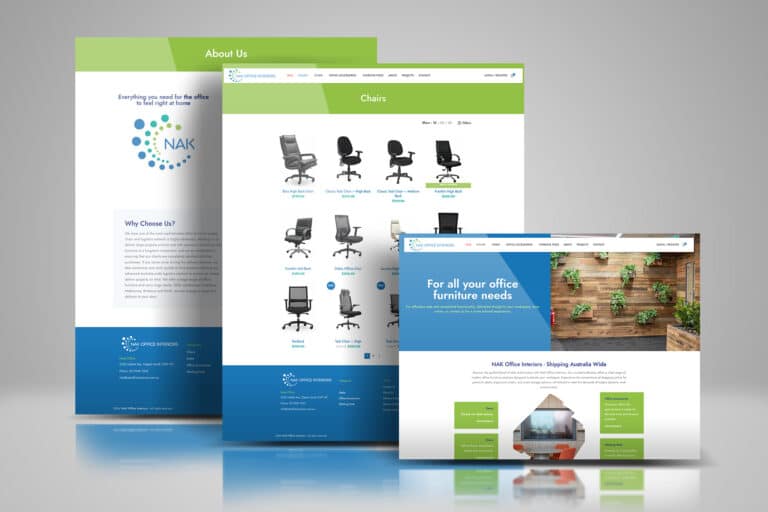 FurnitureOffice Furniture Shop
 Made to orderCustom Vinyl Lettering
 Books & consultingLegal Consulting & Author
 Retreats & coursesHoffman Process Australia
 CoursesOnline English Teaching
The client view.
I was very impressed as they were very responsive and helpful as I was a newbie. Good communication with Sabrina who took the time to explain all the process and gave some tips.
More about hiring an eCommerce developer.
Package fit, GST, platforms, access, speed, security, timing, search, support and documentation.
Ask us about your storeHow do we know which package a developer should build?
Start from what shoppers must be able to do. Basic covers a small range with card and PayPal payments and simple shipping; Standard adds filters, accounts, PDF invoices, shipping rules and SEO; Premium adds Afterpay, Apple Pay, Google Pay, live search and GEO. Each is a fixed price on eCommerce pricing.
Does a fixed-price build include GST, or is it added later?
It is included. Basic $4,990, Standard $5,990 and Premium $7,990 all include GST, and our tax invoice states the GST amount. Work outside the package, such as an integration or a migration, is fixed in the same written quote before work starts, so nothing is billed by surprise.
Which platform will the developer build on, and why does it matter?
It decides who owns the store and what it costs to run. We build only on WordPress and WooCommerce: free, open-source software that takes no commission on sales and runs on hosting you choose. Ask any developer which platform they propose and what it will cost each month.
Can we see the settings and code our developer uses?
With WooCommerce, yes. You hold the administrator login, every setting is visible in the dashboard, and any custom code we write stays inside your store, which can move to another host. Ask any developer whether you would get the same access, and what they will document.
How should a developer prove the store is fast?
By testing on an ordinary phone over a mobile connection, not only on a fast office computer. We compress and resize images, keep extensions lean and check the home, category, product and checkout pages before launch; our hosting runs on Australian servers if you choose it.
Who is responsible for security once the store is live?
Agree it before launch. Every package installs an SSL certificate, the WordFence firewall and nightly backups, card numbers go to Stripe or PayPal rather than your server, and our maintenance packages keep the software updated and monitored. If you run updates yourself, that responsibility is yours.
How long should an eCommerce developer take?
Ask for a timeline tied to your inputs. A basic store with us usually takes two to three weeks once content is ready; integrations, migrations and large imports add time, which the quote states. Be wary of a date that ignores how long your products and photos will take to supply.
Should the developer handle SEO, or someone else?
The build is where SEO starts: page structure, product data, speed and titles are set by whoever builds the store. Our Standard package includes keyword and category research with on-page SEO, Premium adds GEO, and ongoing campaigns are a separate service in our SEO packages. No one can promise rankings.
What support should a developer offer after launch?
At least a clear route for faults, updates and changes. Ours is our maintenance packages, with eCommerce site updates in the Advanced and Premium levels, plus on-demand support for one-off jobs, each quoted before work starts. Ask any developer what a fault on a Friday evening would cost you.
What should a developer document for us?
Enough for another developer to take over: the extensions installed and why, any custom code and where it lives, and the payment, shipping and tax settings. Ask for that list at handover. With us the administrator login is yours from the start, and Standard and Premium include one-to-one training.
Put your questions to our developers.
Send us your questions, your products and the date you would like to launch. Our developers at Wurtulla on the Sunshine Coast will answer each one in writing, recommend a package and give you a fixed quote before any work starts.