When planning SEO content, it is tempting to treat a keyword and a topic as competing choices. They do different jobs. A keyword is a phrase someone may type or speak into search; a topic is the broader need or subject that a page can address. Good planning connects the two: specific search terms help reveal what people want, while a clear topic gives the page enough scope to answer that need properly.
For a small business, this distinction affects which pages to create, what to cover on each page and whether several pages are chasing the same intent. Focusing only on one exact phrase can produce thin, awkward copy. Choosing a broad topic without checking how customers search can leave a useful page hard to discover. Neither approach guarantees rankings, and search demand is only one consideration alongside relevance, expertise and the actions you want visitors to take.
This guide explains how keywords and topics fit together, how to map them to pages, and how to avoid common planning mistakes. You will be able to make a practical choice for your next service page or article.
Content
Why both matter
Keywords and topics do different jobs
When planning a website page, a keyword and a topic are related but not interchangeable. A keyword is a word or phrase someone might type into a search engine, such as “accountant for small business” or “how to prepare for a tax return”. It gives you clues about the language customers use and the questions they want answered. A topic is the useful subject the page covers: for example, small-business accounting services or preparing for tax time. It sets the boundaries for what belongs on the page.
Keyword research can help you notice differences in how people describe a need. One person might search for a service by name, while another might describe a problem or ask for advice. These phrases are useful evidence, not a script to copy word for word. Search wording can also vary by location, industry and level of familiarity. Look at the phrases your customers use in enquiries, conversations and existing website content, then compare them with relevant search suggestions or keyword research tools where available.
A topic helps turn that evidence into a page that is genuinely useful. It asks what a visitor needs to understand or do, and what information your business can responsibly provide. A page about a service might need to explain who it is for, what the service involves, what to prepare and how to make an enquiry. A page answering a common question may need a direct explanation and practical next steps instead. The topic gives the page a coherent purpose; the keywords help you recognise and address the language around that purpose.
Using only a keyword can lead to narrow or awkward copy. Repeating a phrase in every heading or forcing several close variations into a paragraph may make the page harder to read without adding useful information. Conversely, choosing a broad topic without considering search language can leave you unsure whether the page reflects the concerns people actually express. Treat keywords as clues to customer needs, then cover those needs in natural language. A phrase can be included where it fits, but it should not dictate every sentence.
For a small business, this distinction makes planning more practical. Before drafting, write down the likely search phrases associated with the subject, then state in one sentence what the page should help a visitor understand or do. Check that the phrases point towards that same purpose. If they suggest different needs, the page may be trying to cover too much. This simple check keeps search evidence connected to a clear, useful subject rather than turning the page into a collection of disconnected terms.
Start with intent
Work out what the searcher needs
Before choosing a page title or drafting copy, ask what someone hopes to accomplish when they search. The same subject can prompt very different needs: a person might want a quick explanation, compare options, find a local provider or take a specific action. If a page answers the wrong need, adding more mentions of the keyword is unlikely to make it useful.
Start with the wording of the search. Terms such as “how to” and “what is” often suggest a need for instructions or an explanation. “Best”, “compare” and “cost” can indicate that someone is weighing up options. A service name combined with a suburb, “near me” or “book” may suggest they are looking for a provider. These are clues, not rules: interpret them in the context of your customers and what your business offers.
Next, inspect the search results for the query you are considering. Look at the types of pages appearing prominently: are they service pages, step-by-step guides, product listings, comparison articles or local business profiles? Notice what those pages help a visitor do, as well as the questions and details they address. This provides practical evidence about the format and angle searchers may expect. Results can vary by location and change over time, so treat them as a guide rather than a fixed formula.
Then connect that evidence to your own customer journey. Consider what a visitor probably knows already, what decision they need to make next and what information would help them move forward. Someone seeking a definition may not be ready to request a quote; a person searching for a specific service in their area may need clear information about the service, location and how to enquire. Match the page’s purpose to that need instead of trying to make every page serve every stage.
Before settling on an angle, write down the likely need in one sentence. For example: “This visitor wants to understand whether this service can address their problem and how to take the next step.” Then decide what format can meet it clearly. A guide may suit a learning need, while a dedicated service page may be more appropriate when the search suggests someone is looking for a provider. Choose a format because it helps the visitor, not simply because another site uses it.
If intent is unclear, compare a few closely related searches and note whether they lead to similar or different kinds of results. A small change in wording can signal a different need, but it does not automatically require a separate page. Check whether the underlying question and useful answer are genuinely distinct. This helps avoid creating a page based on a phrase alone when the content would not offer anything meaningfully different.
Once you have a reasonable view of the searcher’s need, you can decide which keyword best represents it and how broad the page should be. Intent gives the page a job to do; keyword evidence helps you describe and organise that job in language customers use.
Choose a page target
Choose one clear target for the page
Once you understand what a searcher is trying to do, choose a primary keyword that describes that need in the language people are likely to use. It is a planning focus, not a phrase to repeat mechanically. A useful target is specific enough to suggest the page’s purpose, but broad enough to cover the main ways a customer might describe the same need. For a service page, this might include the service and, where relevant, the location. For an informational article, it might describe the question or decision the reader wants help with.
Begin by writing down a small set of plausible searches based on customer enquiries, the wording already used on your website and keyword research tools. Compare what those searches appear to ask for. Are people looking for a service, a product, a comparison or instructions? Check the search results for a sample of the terms, too: the pages appearing there can help you judge whether the phrases point to the same need or to different ones. Search results are a clue, not a rule; make sure the proposed page would genuinely answer the customer’s question.
Select one phrase as the page’s primary target when it best represents the main purpose and likely audience. Keep close variations and synonyms in your notes, but do not create a separate page for every wording difference. If the searches suggest distinct needs—for example, hiring a provider versus learning how to do a task yourself—consider whether they need separate pages. The decision should be based on the usefulness of each page and the difference in intent, not simply on whether two phrases contain different words.
Next, set a realistic topic scope. Write a one-sentence promise for the page, such as what service it explains, who it is for and what a prospective customer can find out. Then list the details necessary to fulfil that promise: the main problem addressed, what the service involves, relevant service areas, common considerations and a clear next step. Keep the list focused. A page should be thorough enough to answer reasonable follow-up questions, but it does not need to become a general guide to every subject connected to the service.
Hypothetical: A local plumber could centre a service page on blocked-drain services. Its primary target might be a phrase such as “blocked drain plumber” if that reflects the business’s audience and the search results. Within that topic, the page could explain the types of blocked-drain problems addressed, what a customer should do before requesting help, the service area and how to enquire. It would not need to cover all plumbing work, such as hot-water repairs, just because those services belong to the same trade. Those may warrant their own pages if customers have a distinct need for them.
Before drafting, check the proposed target against your existing site. Search your own pages for the same service or question, and note whether a page already serves that purpose. If it does, improving its focus and useful detail may be better than publishing a competing version. Record the chosen target, intended reader, page promise and a few key subtopics in a simple content brief. This gives the page a clear boundary and helps you assess later whether the copy stays useful rather than drifting into unrelated topics.
Build topic coverage
Build coverage around what the reader needs
Once you have chosen a page’s main search target and scope, use related questions and subtopics to check whether the page will genuinely help someone make a decision. These are prompts for useful information, not a checklist of phrases to insert. A page can cover a topic well without repeating every wording variation people might use in a search.
Start by listing the questions a potential customer is likely to ask before, during and after looking for the service or information. You can draw these from conversations with customers, enquiries your business receives, and relevant search results. Search suggestions and question-style results may reveal useful language, but treat them as clues: check that each question belongs on this page and that you can answer it accurately.
Group the questions by the information they call for. For a service page, that might include what the service involves, signs someone may need it, what affects the process, and what to do next. Keep the page centred on its main purpose. A question about a different service, a broad how-to guide or a separate location may deserve another page if it needs substantial explanation or serves a different customer need.
Prioritise questions by usefulness rather than by how many keyword variations you can collect. Give more attention to questions that could affect a customer’s choice, clarify an important detail or prevent a misunderstanding. If a question is peripheral, already answered clearly elsewhere on your site, or outside your expertise, you do not need to add it just to make the page appear more comprehensive.
Then answer each relevant question in the format that makes it easiest to understand. A short explanation may suit a simple point; a set of steps can clarify a process; and a comparison may help where readers need to weigh options. Use descriptive subheadings when they help people scan. Keep explanations specific, avoid repeating the same point in several sections, and make clear where details depend on the customer’s circumstances.
Use the language customers recognise, but write in your normal, precise voice. Include a search phrase where it fits naturally, such as in a heading or a sentence that directly answers the question. Do not add awkward exact-match wording, repeat near-identical phrases, or create a paragraph for every variation. Search engines do not need a page to mirror a keyword list; readers need a clear answer that stays on topic.
Before publishing, review the page from a customer’s perspective. Does it answer the main need near the beginning? Are the related points relevant and easy to find? Is anything important missing, duplicated or better suited to another page? Check factual details, including any claims about processes, costs or likely outcomes, and qualify them where they vary. This review helps you build meaningful coverage while keeping the page focused, readable and trustworthy.
Prevent overlap
Give each page a distinct job
When several pages target similar phrases, they can end up answering the same need. That makes it harder for visitors to choose the right page and harder for search engines to understand which page best fits a search. The answer is not to assign every related keyword its own URL. First, check whether the searches represent genuinely different intentions or are simply different ways of expressing the same need.
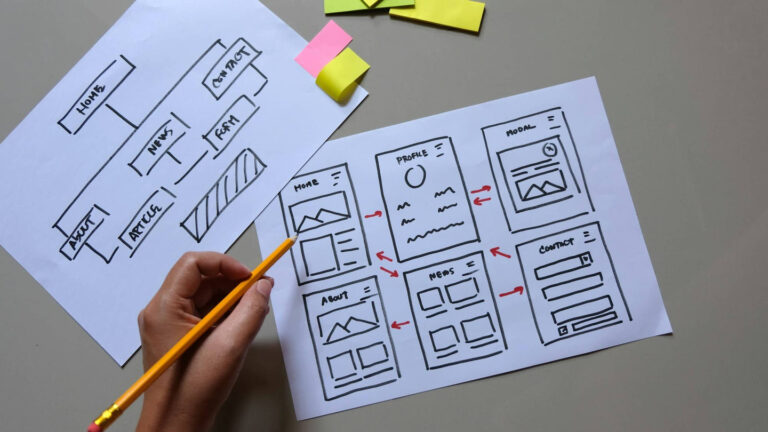
Make a simple content map with one row per relevant page. Record its URL, intended audience, primary search intent, main topic and the action a visitor should be able to take. Then compare pages that appear to cover the same subject. Look at their headings and content, but also review the search results for the phrases you want to target. If substantially the same types of pages appear for both searches, that is a clue the intent may be similar; it is not proof that the phrases are interchangeable.
For example, a hypothetical plumbing business might have a page explaining its blocked-drain service and a separate article on how to respond to a blocked drain at home. The service page is for people considering professional help; the article is for people seeking immediate advice. They can link to one another, but each should make its purpose clear. If both pages instead describe the same service and target the same prospective customer, a second page may add little value.
Improve or combine before creating another page
Before drafting a new URL, search your own site for the topic and review relevant pages. Ask whether an existing page already serves the same audience and intent. If it does, improve that page rather than publishing a near-duplicate. You might clarify its purpose, add useful details that customers need, answer a missing question, update outdated information or make the next step easier to find. Add related phrases naturally where they help explain the subject; do not force them into headings or create separate pages merely to include each variation.
If two existing pages have substantial overlap, decide which one should be the main resource based on its purpose, usefulness and relevance to the searcher. You may be able to combine the strongest material into that page and redirect the retired URL to it. Check links pointing to the old page and update internal links where practical. If the pages serve different needs, keep both, state their different purposes clearly and link between them when a visitor may benefit from the other resource. Avoid combining pages solely because they share a word or phrase.
Use available search data as a prompt for investigation. In Google Search Console, compare the queries and pages receiving impressions for the topic. If multiple URLs appear for similar queries, review whether they truly serve different needs and whether one page is more useful. A change in which URL appears can have several causes, so treat it as a signal to inspect the content—not an automatic reason to delete or merge a page.
Finally, revisit your content map after publishing or making substantial changes. Make sure each page still has a clear job, and that new content fills a genuine gap rather than repeating an existing answer. This keeps your site easier to navigate and helps you invest effort in the page that can best meet the customer’s need.
Conclusion
When deciding what to target, start by describing the customer’s problem in plain language. Ask what they need to understand or do, and what kind of page would help them take the next step. Then use keyword research and search results to check how people express that need and whether your proposed page matches their intent.
Choose one primary search phrase as a guide, not a phrase to repeat mechanically. Set a clear scope for the page, include the related details a customer needs, and leave separate needs for separate pages. Before creating anything new, check your existing site: if a page already serves the same intent, improving its accuracy, usefulness and clarity may be better than publishing a near-duplicate.
A practical rule is: customer need first, keyword evidence second, page plan third. Write a short brief stating who the page is for, what question it answers and what action it supports. If those points are difficult to distinguish from another page, refine the scope before drafting. This keeps SEO decisions grounded in useful content rather than a list of search terms.
Explore related information: Booking Website Design & Development; Web Design Sunshine Coast.