Custom web development is the process of shaping a website around a business’s particular goals, content and workflows. It can involve bespoke page layouts, features, integrations or code, but it does not always mean building every component from scratch. A WordPress site, for example, can use established tools for common tasks while adding tailored elements where the business has a genuine need. The important distinction is whether the solution is planned around the requirements, rather than forcing the requirements to fit a ready-made setup.
For a small business, the decision is less about whether custom sounds more professional and more about whether it solves a real limitation. A standard website may be the practical choice when the site mainly needs to explain services, build trust and invite enquiries. Tailored development may be worth exploring when essential steps are difficult to manage with available tools, or when disconnected systems create unnecessary work. Before committing, define the problem, consider simpler alternatives, and account for ongoing support as well as the initial build. This guide explains what custom development can include, how to assess its fit and what to clarify before a project begins.
Content
What custom means
Custom development is a spectrum
Custom web development means shaping a website around a business’s particular needs. It can involve visual design, page layouts, content structures, features, integrations or code—or a combination of these. The term does not necessarily mean that every part of a website is designed and built from a blank screen. In practice, the right amount of custom work depends on what needs to be different and why.
At the design end of the spectrum, a business might adapt an existing WordPress theme or design system to suit its branding, content and customer journeys. This could mean adjusting layouts, navigation, typography, forms or the way information is organised. A designer and developer can make those changes while retaining suitable parts of the existing setup. A more extensive project might create a bespoke theme or templates to give the site a particular structure and appearance. The distinction is not simply whether a theme is used, but how much the design and underlying structure are tailored.
Functionality can be tailored in a similar way. A business may be able to meet its needs by configuring an established plugin, changing its settings and fitting it into the site’s workflow. If the required behaviour is not available through configuration, a developer might extend an existing tool or write a specific component. For example, a form could ask different questions depending on a visitor’s earlier answers, then send the information to the appropriate team. The useful question is what the feature must do for its users, not whether it is labelled “custom”.
Integrations are another common part of tailored development. A website may need to exchange information with an external booking, customer management, inventory or payment service. The work could involve setting up a supported connection, mapping fields or developing code to handle a particular data flow. Before deciding how to connect systems, identify what information should move, in which direction, and what should happen if a service is unavailable or a record is incomplete. The available options depend on the systems involved and their documented access methods.
Building everything from scratch is a much more specific choice. It means creating core elements rather than relying on suitable existing tools—for instance, developing a new content management system instead of using WordPress. That may be appropriate in some circumstances, but it is not a requirement for a website to count as custom. A tailored WordPress site can use standard foundations while adding bespoke layouts, functionality or integrations where they solve defined needs.
When discussing a project, describe the outcome and the constraints before prescribing a technical approach. Note which parts of the current website work, what users need to accomplish, and where the existing process falls short. This gives a developer a basis to assess whether configuration, an extension, an integration or newly written code is likely to be suitable. It also helps keep custom work focused on the parts of the experience that genuinely need to differ, rather than treating “custom” as a goal in itself.
Custom or off-the-shelf
Compare the trade-offs
A theme, plugin or hosted platform is often the sensible starting point when your website needs are familiar. A theme supplies a layout and styling framework; plugins can add functions such as forms or bookings; and hosted platforms bundle website-building tools with hosting and platform management. These options can reduce setup effort, especially when you can work within their existing layouts and settings. Before choosing, check whether the option supports your essential requirements, what it costs over time and whether you can move your content or data if you change providers.
The trade-off is flexibility. Themes and plugins offer choices within the boundaries set by their design and features. You may be able to adjust layouts or settings, but unusual user journeys or business rules can be difficult to implement cleanly. Hosted platforms also vary: some offer extensive configuration, while others limit access to code or integrations. Tailored development can shape the design and functionality around your requirements, but it is not automatically unlimited. The result still depends on the agreed scope, technical approach and any limits imposed by third-party services.
Consider the work involved in getting each option ready. An off-the-shelf solution may be quicker to configure if its features match your needs, but choosing, setting up and testing themes, plugins, content and integrations still takes care. Tailored work generally needs more discovery, design, development and testing before launch. It may make sense where adapting an existing option would create awkward workarounds, but avoid commissioning custom code simply because it sounds more distinctive.
Look beyond launch
Ongoing responsibility differs by arrangement. With a hosted platform, the provider generally manages the underlying platform, while your business remains responsible for matters such as content, account access, settings and choosing a suitable plan. With a self-hosted WordPress site, the responsibilities for hosting, backups, security, updates and troubleshooting depend on your hosting and maintenance arrangements. Themes and plugins may need updates and compatibility checks; confirm who will handle those tasks rather than assuming they are included.
A tailored site also needs care after launch. Someone must be responsible for monitoring and updating its software and dependencies, checking integrations, resolving issues and making future changes. Ask what documentation will be provided, who owns or can access the code, and whether another developer could maintain it. For any approach, clarify what happens when a provider, plugin or external service changes its terms, features or technical requirements.
To compare options, write down the requirements that genuinely matter: the tasks visitors need to complete, the rules the site must follow, and the systems it must connect with. Then test those requirements against a theme, plugin or hosted platform before treating them as a gap that requires custom development. Ask providers to explain setup work, ongoing responsibilities, limitations and likely change processes in plain language. Choose the simplest option that meets the defined needs reliably; reserve tailored development for requirements that established tools cannot meet cleanly or that would otherwise demand ongoing workarounds.
When it makes sense
Look for a real gap, not just a preference
Custom functionality may be worth investigating when an important business process cannot be handled reliably by your current website, an established service or a sensible combination of tools. The case is strongest when the limitation affects a core task: customers cannot complete a necessary step, staff repeatedly work around the system, or information has to be copied between platforms in ways that create avoidable errors. Write down what happens now, who is affected and what the business needs to happen instead. That makes it easier to separate a functional requirement from a general wish for a more distinctive website.
A tailored solution may suit processes with specific rules, such as different eligibility checks, approval steps, pricing conditions or access levels. It can also be relevant when an integration needs to exchange particular information in a defined way, or when a website must present and organise complex information around how customers make decisions. Before commissioning development, check whether the apparent gap is actually caused by an unsuitable configuration, an incomplete process or a feature available in a tool you already use. Ask the tool’s provider or a developer to clarify the options rather than assuming custom code is the only answer.
Hypothetical example: A service business needs bookings to follow specific staff, service and payment rules that its current setup cannot handle cleanly. The owner could map the booking journey, including how customers choose a service, how staff availability is determined, when payment is taken and what happens when a booking changes. If an established booking tool can support those rules with manageable configuration, using it may be simpler. If essential rules remain unsupported and staff must routinely resolve bookings by hand, tailored functionality could be worth scoping. The decision should follow from the documented gap, not from an assumption that a custom booking system will automatically be better.
A simpler website or established tool is often sufficient when the business mainly needs clear information, a contact form, standard enquiries, a straightforward service list or ordinary online bookings. If a reputable plugin or hosted platform meets the required user journey, fits the business’s existing workflow and can be maintained by the team, building a bespoke equivalent may add responsibility without solving a meaningful problem. The same applies when requirements are still changing, the process is rarely used, or the business has not yet agreed on the rules the system would need to follow. Clarify and test the process first; uncertainty is a poor basis for detailed development.
Use a practical decision check before requesting proposals. List the specific tasks the website must support, the people who will use them and the consequences if they fail. Compare those needs with the actual features and limitations of your current setup and relevant established tools. Consider the work involved in setting up and maintaining each option, including staff training, content updates, integrations and support. Then identify which unmet requirements are essential now and which are preferences or possible future improvements. If no important requirement remains unmet, improve or configure the simpler solution. If a clear, valuable need remains and simpler options cannot meet it acceptably, define that need as a bounded piece of custom work.
Plan the scope
Turn the business need into a clear brief
Before asking a developer for a proposal, write down what the website needs to help people do and how your business will support that process. A brief does not need to prescribe the technical solution. It should make the problem, priorities and boundaries clear enough for a developer to recommend an approach and estimate the work. Start with the users: who will visit the site, what are they trying to achieve, and what information or decisions do they need along the way?
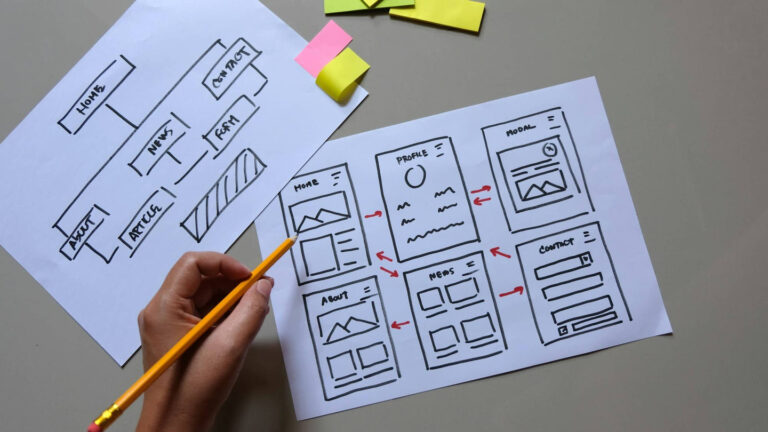
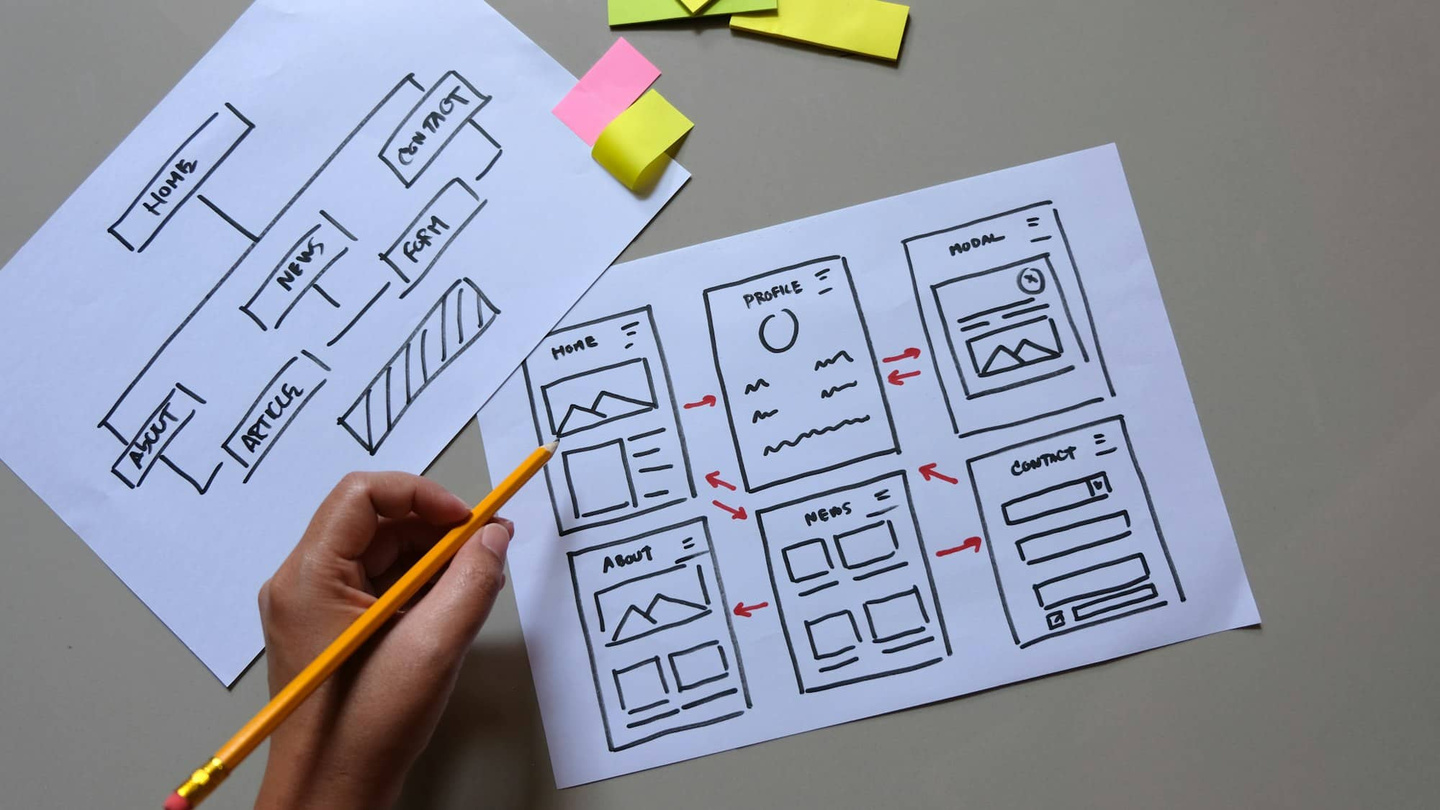
Map the main user journeys in plain language, one step at a time. For each journey, note where it begins, what the visitor does, what happens next and how they know the task is complete. Include the less common but important paths, such as a form submission with missing information, an unavailable appointment time or a failed payment. Also describe what staff need to do after a visitor acts: receive a notification, review a request, update a record or follow up manually. This helps expose requirements that can be missed when a brief describes only the visible pages.
Separate must-have features from preferences. For each feature, explain the business purpose and the outcome it should support, rather than naming a particular plugin or technology unless you have a genuine requirement. Record any rules that affect how it works, such as who can use it, what information is required, what conditions change the next step, and what should happen if something goes wrong. Mark lower-priority ideas separately so they do not quietly become part of the first release. If a simpler process would meet the need, include that as an option to discuss.
List the systems the website may need to connect with, such as a booking, payment, customer-record or accounting service. For each one, identify its purpose, who manages the account, what information needs to move, and in which direction. Note any known limits or access requirements, but ask the relevant provider or developer to confirm technical details rather than assuming that an integration is available. Clarify who will pay any third-party fees and who will handle changes if an external service alters its product.
Include a content inventory: the pages required, the information each page must contain, and who will write, supply and approve it. Note existing material that may need to be moved, checked or rewritten. Be specific about content that affects the user journey, such as service descriptions, eligibility rules, delivery or cancellation terms, and instructions shown after a submission. Agreeing these responsibilities early can prevent development decisions being delayed by missing copy or unclear business policies.
Finally, define acceptance checks in observable terms. Describe what you will test, on which devices or browsers where relevant, and what counts as complete. Checks might cover a visitor finishing a key journey, receiving a clear confirmation, or seeing an appropriate message when required information is missing. Include staff tasks too, such as being able to access and process a submission. Ask the developer to identify assumptions, exclusions, testing responsibilities and what happens when a check fails. Keep the agreed brief and decisions in one place, then use them to compare proposals on scope, dependencies, handover and ongoing responsibilities—not just the headline price.
Costs and care
Budget for the whole lifecycle
A custom website’s cost is shaped by what it must do, how reliably it must do it and how much work is needed to support it after launch. There is no universal price for custom development: two projects with similar-looking pages may involve very different rules, data flows and risks. Compare proposals by scope and ongoing commitments, not just by the initial figure.
Start by turning the agreed scope into specific deliverables. Record the pages, user journeys, functions, integrations, content responsibilities and acceptance checks. For each feature, clarify what is included, what is excluded and what assumptions the estimate relies on. For example, “booking functionality” is too broad on its own: the proposal should explain the booking steps, rules, notifications, payment handling and any administration tools that are in scope. This helps you assess whether estimates cover the same work and makes it easier to spot requests that could change the cost later.
Testing is part of the work, not an optional finishing touch. Allow for checking the main user journeys, different screen sizes and relevant browsers, as well as error handling, forms, permissions and integrations. More complex rules or connections between systems can require additional test cases and time to investigate faults. Ask who is responsible for testing, how issues are recorded, what counts as an accepted result and whether fixes to agreed requirements are included before launch. Also confirm whether your team needs time to review the site and provide feedback at planned milestones.
Third-party services can add separate costs and dependencies. A site may rely on a payment provider, booking tool, mapping service, customer database or other external platform. Check whether those providers charge subscription, transaction or usage fees, and whether the website work includes configuration, data transfer and testing. Confirm which business account will own each service, who pays its fees and what happens if the provider changes its terms, pricing or technical connection. These charges may sit outside a developer’s proposal, so list them when comparing the total commitment.
Plan for care after launch as well. Software, plugins and connected services can change, and a tailored feature may need updates when business processes or external systems change. Agree who will handle routine updates, backups, security checks, troubleshooting and changes to the custom code. Ask what documentation will be supplied, how the site can be handed over to another provider, and whether ongoing support is available as a separate arrangement. Make sure you understand any exclusions, response arrangements and charges before relying on support for business-critical functions.
Before approving a proposal, request a clear split between initial design and development, testing, third-party charges, launch tasks and ongoing maintenance. Ask how changes are approved and priced, and keep a contingency for decisions or requirements that emerge during the work. You do not need to predict every future feature, but you should know how additions will be assessed and whether the site can be extended without rebuilding its foundations. A well-defined scope and a realistic care plan make the commitment easier to compare and manage.
Conclusion
Before commissioning custom web development, write down the business problem in plain language: who encounters it, what they need to do and where the current process falls short. Then compare the simplest credible alternatives, such as adjusting your existing website, using an established plugin or choosing a hosted platform. Consider not just setup effort, but whether each option can support the required workflow and who will look after it over time.
Custom work is worth exploring when those simpler options cannot meet a clearly defined requirement, or when relying on workarounds creates a material operational difficulty. Before requesting a proposal, list the essential features, user journeys, integrations and acceptance checks. Separate must-haves from preferences, and ask developers to explain assumptions, testing, third-party dependencies and ongoing maintenance. If the need is still vague, clarify the process before committing to a build. If an established tool meets it adequately, custom development may add responsibility without solving a distinct problem. Make the decision against your documented requirements, not the appeal of a bespoke solution alone.
Explore related information: Booking Website Design & Development; Web Design Sunshine Coast.