eCommerce website builder you've outgrown? Plan the move.
When the app bills, design limits or fees of a website builder start to pinch, moving to WooCommerce is a project, not a button. DIGITALON plans it so the old store keeps trading until the new one has been tested, and quotes the move before work starts.
Outgrowing a builder happens gradually.
Few stores leave a website builder in a hurry. It starts with one more paid app for a feature the template lacks, then a design change the theme will not allow, Shopify's extra transaction fee when you pay through another provider, or guides and content that sit awkwardly beside the shop. None of these is a crisis; together they are a sign the store has outgrown its first home.
Moving is a project you can plan. Products, categories, customers and order history come across to WooCommerce, the addresses that already earn traffic are kept or redirected, and the old store keeps trading until the new one has been tested with real orders. We assess your current store first and quote the move on top of the package that fits.
The builder is pinching.
Small frustrations that add up.
- App bills that keep growing
- A template that will not bend
- Fees on top of payments
Trading, data and traffic.
Nothing lost between the two stores.
- Orders flowing throughout
- Customers and order history
- Addresses that earn visits
From outgrown builder to WooCommerce.
Two signs to recognise, then four steps that keep the move safe. The move is assessed and quoted before any work starts.
Sign: app bills that keep growing
Builders add features through apps, often billed monthly. When the list of apps grows and the monthly total starts to rival the cost of owning the features, compare it with a WooCommerce package; Standard already includes filters, wish lists and PDF invoices.
Sign: a template that will not bend
If your products need specifications, fitment, sizes or delivery details shown in a way the theme cannot manage, or every change needs a workaround, the template has become the limit. A WooCommerce store is designed for your range from the start.
Step 1: export and list everything
Export products, customers and orders, and list every app with what it does: reviews, subscriptions, gift cards or loyalty points. For each one, we decide whether WooCommerce, a package feature, an extension or custom work replaces it, and which data can move.
Step 2: map addresses that earn visits
Builders and WooCommerce structure page addresses differently, so the product, category and page addresses that bring visitors are listed first. Each one is kept or redirected to its new address, so links and search results still land in the right place.
Step 3: test beside the old store
The new store is built and tested with real orders while the builder store keeps trading, so customers see no gap. Your payment and shipping accounts are connected, and stock and prices are brought up to date just before the switch.
Step 4: switch over, then cancel
On launch day the domain points to the new store and the redirects go live. Keep the old plan running until orders, emails and search traffic are confirmed on the new store, then cancel it.
The package for your new store.
Choose the package your WooCommerce store needs; the move itself, from exports to redirects, is assessed and quoted on top before work starts.
Basic
A simple online shop with everything it takes to sell properly.
$4,990One-off build price
- 6 pages: home, about, contact, shop, cart and checkout
- Mobile optimisation
- Card and PayPal payments
- Flat-rate or free shipping
- WordFence firewall and SSL certificate
- Links to your social media
- Nightly backups
Standard
A professional store for a real catalogue, with accounts and automation.
$5,990One-off build price
- 10 website pages
- Everything in Basic, plus
- Search engine optimisation (SEO)
- Customer accounts and order history
- Product filters and categories
- PDF invoices and packing slips
- Wish list and discount coupons
- Advanced shipping rules
- Google Analytics
- 1:1 website training
Premium
For stores pushing on sales: more ways to pay, find and follow an order.
$7,990One-off build price
- 20 website pages
- Everything in Standard, plus
- AI search optimisation (GEO)
- Mega menu
- Apple Pay, Google Pay and Afterpay
- Shipping cost calculator and order tracking
- Live product search and product compare
- Blog
- Your CRM integrated
Hosting, your domain, your payment provider’s transaction fees and ongoing maintenance are separate. The page counts are website pages, not a product limit: catalogue size, product imports, migrations and custom integrations are agreed and quoted before work starts. Compare every inclusion and the optional features on eCommerce pricing, or see website design packages if you do not need a shop.
Your store, your hosting, your login.
Every DIGITALON store is a custom WordPress and WooCommerce build. WooCommerce is free and open source, takes no commission on your sales and runs on hosting you choose, with the administrator login yours from day one.
The shop and the pages that bring shoppers to it live in one WordPress site, edited the same way. You can run it yourself, or hand the updates to the team that built it.
No platform commission
Your payment provider charges its transaction fee. WooCommerce itself takes no percentage of your sales and has no monthly platform fee.
Hosting you choose
Keep your own host, or use our managed WordPress hosting, sized for the catalogue and the traffic you expect.
Care after launch
Our maintenance packages cover plugin and WooCommerce updates, backups, security checks and support.
One Australian team
The people who scope, design and build the store are the people who answer your questions, from Wurtulla on the Sunshine Coast.
From brief to first order.
A basic store usually takes two to three weeks. Extra features and integrations add time, and we tell you how much before we begin.
Scope and price
We agree the pages, catalogue, features and search work, then confirm the package, any extras and the payment stages in writing.
Design
You see the design and sign it off before the build starts, while changing a layout is still quick.
Build and test
Products, payments, shipping and tax are set up in WooCommerce, then tested with real orders on a phone and a desktop.
Launch and hand over
We go live and hand over your administrator login. Standard and Premium include one-to-one training on your own store.
Online stores we have built.
These are stores and online sales sites our team designed and built. They show completed work, not a promise of the same result for every business.
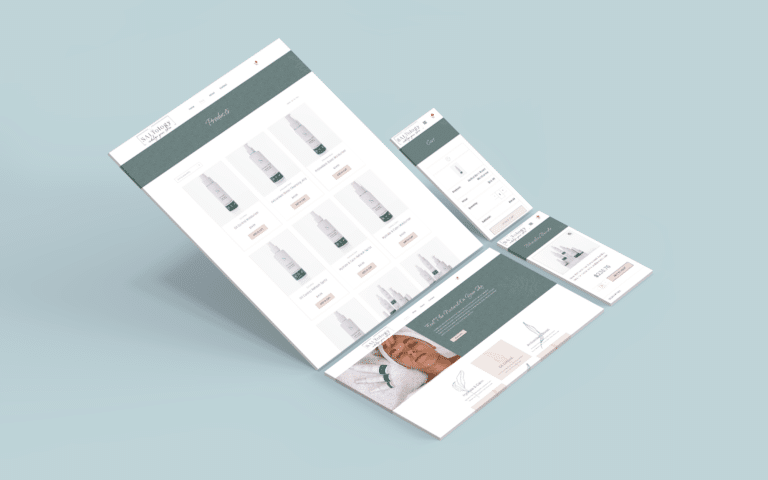 Beauty & skincareNatural Skincare Shop
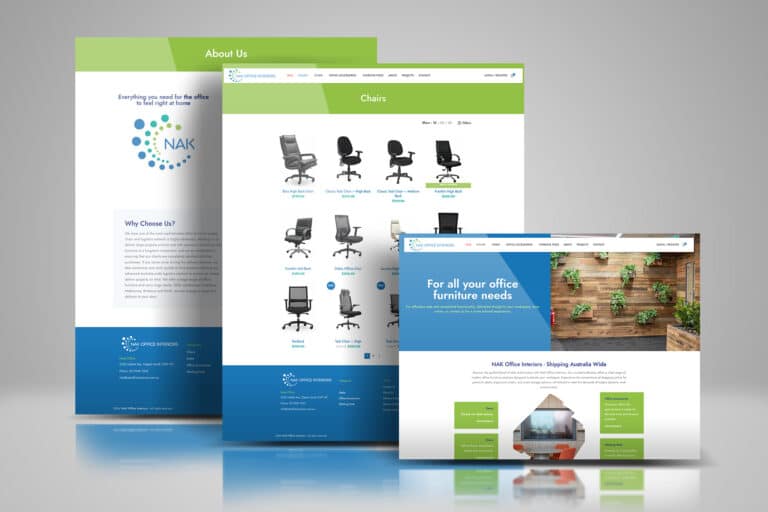 FurnitureOffice Furniture Shop
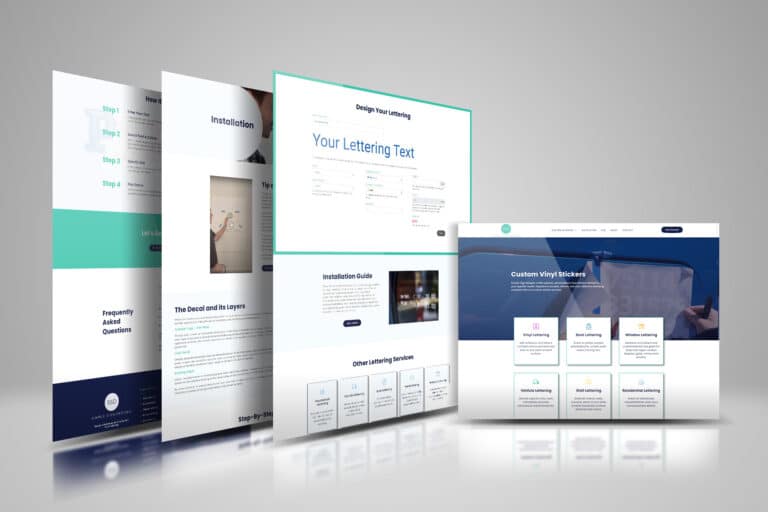 Made to orderCustom Vinyl Lettering
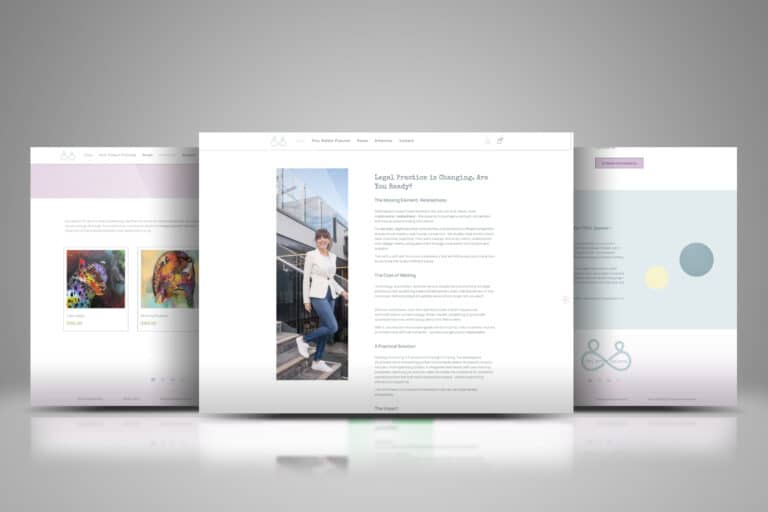 Books & consultingLegal Consulting & Author
 Retreats & coursesHoffman Process Australia
 CoursesOnline English Teaching
The client view.
I was very impressed as they were very responsive and helpful as I was a newbie. Good communication with Sabrina who took the time to explain all the process and gave some tips.
eCommerce website builder questions.
Cost, GST, customers, apps, reviews, timing and after the move.
Ask us about your storeWhat does moving off a website builder cost?
Two parts: the WooCommerce package for the new store, $4,990, $5,990 or $7,990, and the move itself, which we assess and quote once we have seen your current store, because every catalogue and set of apps is different. Both are agreed in writing before work starts.
Compare the packages on eCommerce pricing.
Does GST apply to the move as well as the new store?
The package prices, $4,990, $5,990 and $7,990, are in Australian dollars with GST included. The migration quote states its own price and how GST applies, and the builder's subscription carries on until you cancel it.
Can our customers and their order history come across?
Yes. Customers and their order history are part of a migration, along with products and categories, so returning customers can find their past orders. How each account comes across depends on what your builder can export, which we check during the assessment.
What happens to the apps we pay for now?
Each one is replaced, dropped or rebuilt. Many app features, such as filters, wish lists or PDF invoices, are part of a WooCommerce package; others become an extension or custom work, quoted first. App data, such as reviews or loyalty points, moves only where the app can export it.
Can we keep selling on the builder while the new store is built?
Yes. The builder store keeps taking orders until the new store has been tested and the domain is switched, so there is no gap in trading. Stock and prices are brought up to date just before the switch.
Do we lose our product reviews when we leave the builder?
Not necessarily. Reviews can come across where your builder or review app exports them, and WooCommerce has its own product reviews with a verified-buyer label from launch. We check what your current set-up can export during the assessment.
How do we choose a package if our builder ran on lots of apps?
List what each app does for you. If filters, customer accounts, wish lists, PDF invoices and shipping rules cover most of it, Standard fits; if you relied on apps for live search, product compare, order tracking or Afterpay, Premium covers those. Anything else is quoted.
How long before we can switch over?
Plan for the package build, usually two to three weeks for a basic store, plus the time to export, import and check your data, which depends on the catalogue and is given in the quote. Avoid switching in your busiest weeks.
Does the new store get SEO work as part of the move?
From Standard, yes: keyword and category research and on-page work are part of the build, alongside the redirects that carry existing traffic across, and Premium adds AI search optimisation (GEO). No one can promise rankings, and ongoing SEO after launch is a separate service.
Who hosts and looks after the store once we leave the builder?
You choose. A builder bundled hosting and support; with WooCommerce you can use your own host or our managed WordPress hosting, and run updates yourself or through our maintenance packages. You hold the administrator login either way.
Let's move your store across.
Tell us which builder you use now, roughly how many products and customers you have, and the apps you rely on. We will assess what can move, recommend a package for the new store and quote the move in writing before any work starts, from our team at Wurtulla on the Sunshine Coast.